For school-based SLPs
You take the data. SteadySLP drafts the note, charts the goal, and starts the progress report.
SteadySLP handles the day-to-day clinical work of school-based speech therapy: scheduling, session planning, data collection, service minutes, session notes, progress monitoring, progress reports, and IEP and reevaluation timelines.
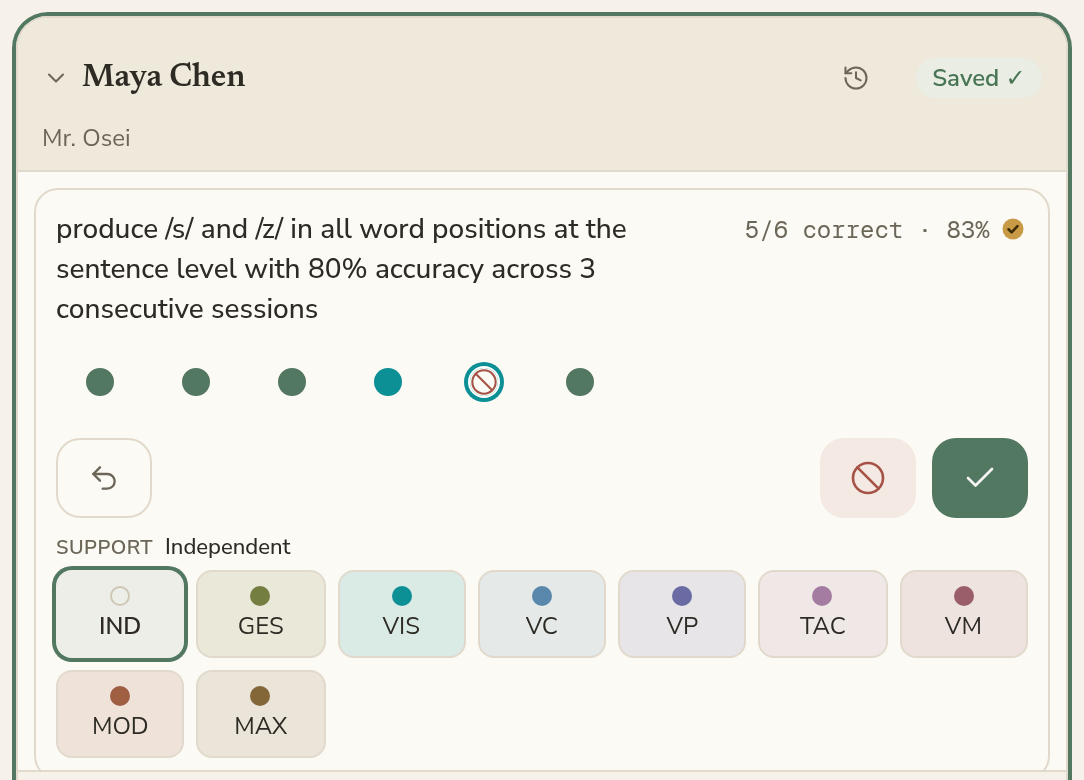
Ditch the paper data sheet. No wifi required.
Session Mode is where you record responses, accuracy, prompting, cueing, and other goal-specific data on an iPad as the session happens. In a group, move between students with a swipe, tracking each student’s data without losing your place.
If you lose your internet connection, you can keep taking data. Your session information saves and syncs when you reconnect.
An optional session clock tracks service time as you work. Choose the student or students receiving minutes, and adjust the recorded time if needed.
Whether you’re providing pull-out, push-in, group, or individual services, you decide which students’ service minutes to record.
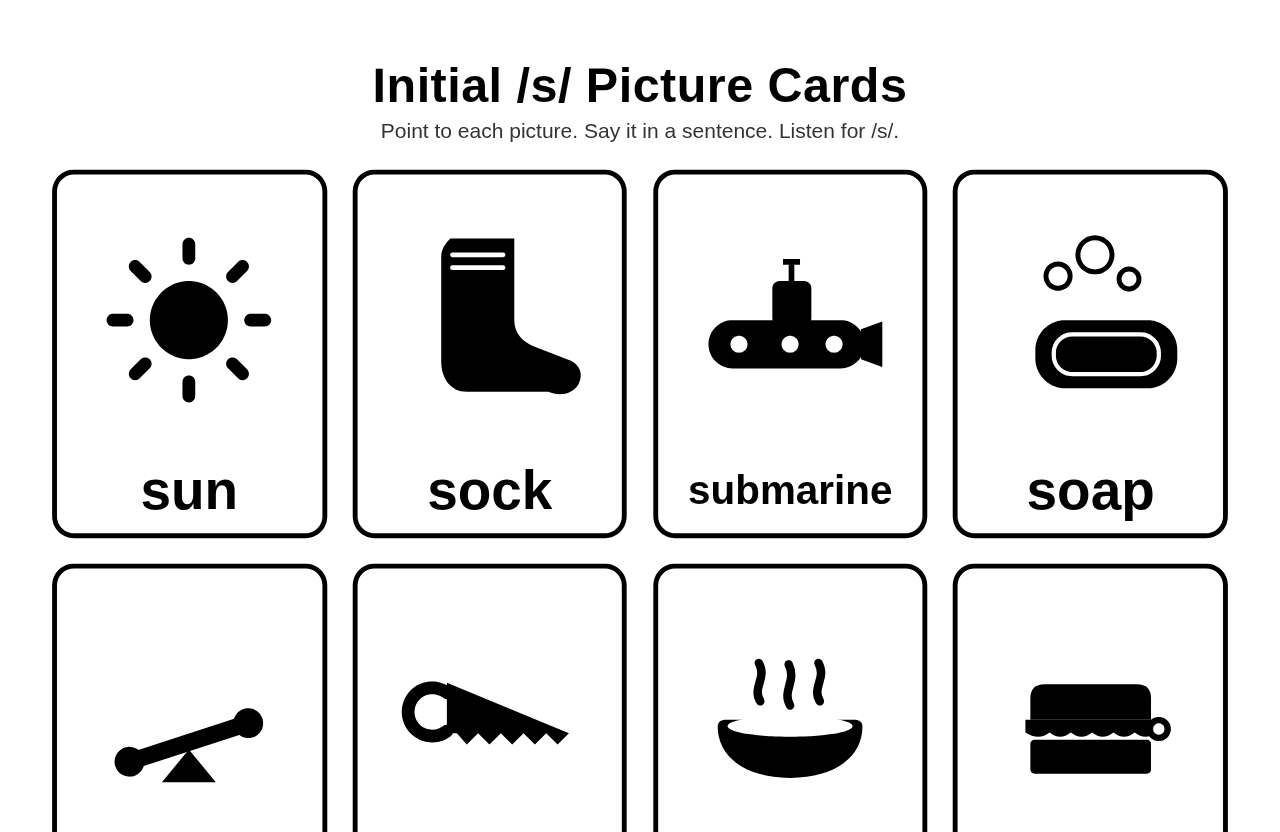
One iPad, not two
Keep your digital worksheets, picture cards, and probe lists in SteadySLP, attach them to a session while you plan it, and show them on the iPad when you get there. Or continue using the physical materials you already have while SteadySLP handles your data collection.
Turn the iPad around. Student View shows the material on the whole screen, and nothing about your other students is visible.
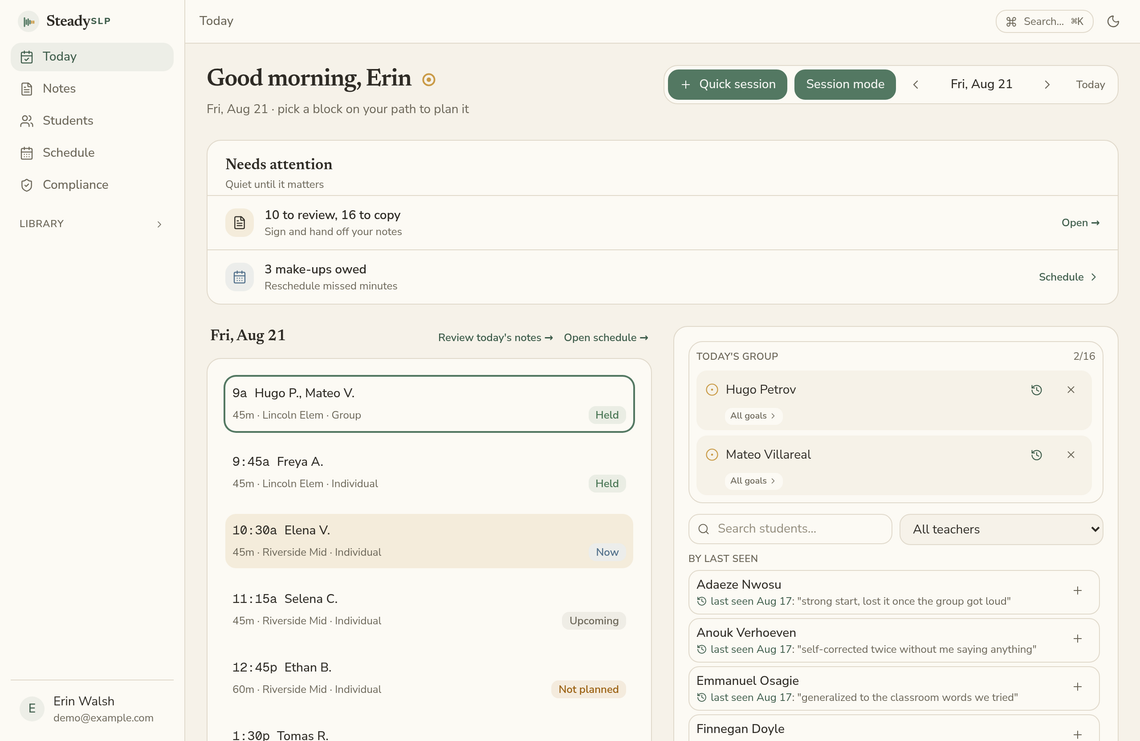
Know what needs your attention today
The Today page puts your day in order: who you’re seeing, what you’re working on, upcoming IEP and reevaluation dates, service minutes, and notes that still need your attention.
Open a session to review the students, goals, and materials. The weekly calendar shows each session at its scheduled time and length. Drag to move or resize a session when your schedule changes.
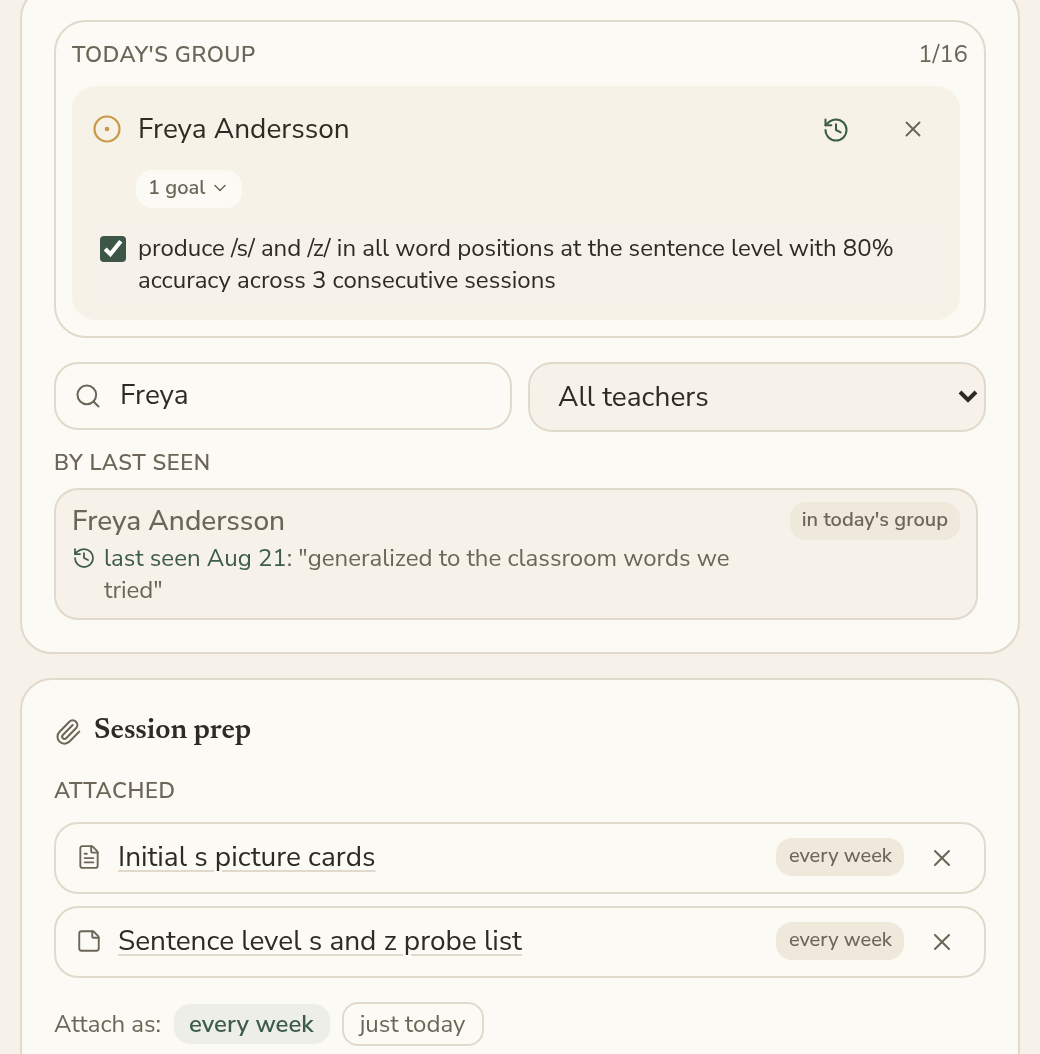
Plan the session in one place
Choose the students, goals, and materials you need before the session starts.
Previous notes and attached materials are available for each session, so you can quickly see where you left off and what you planned to work on next.
Finish the note while the session is still fresh
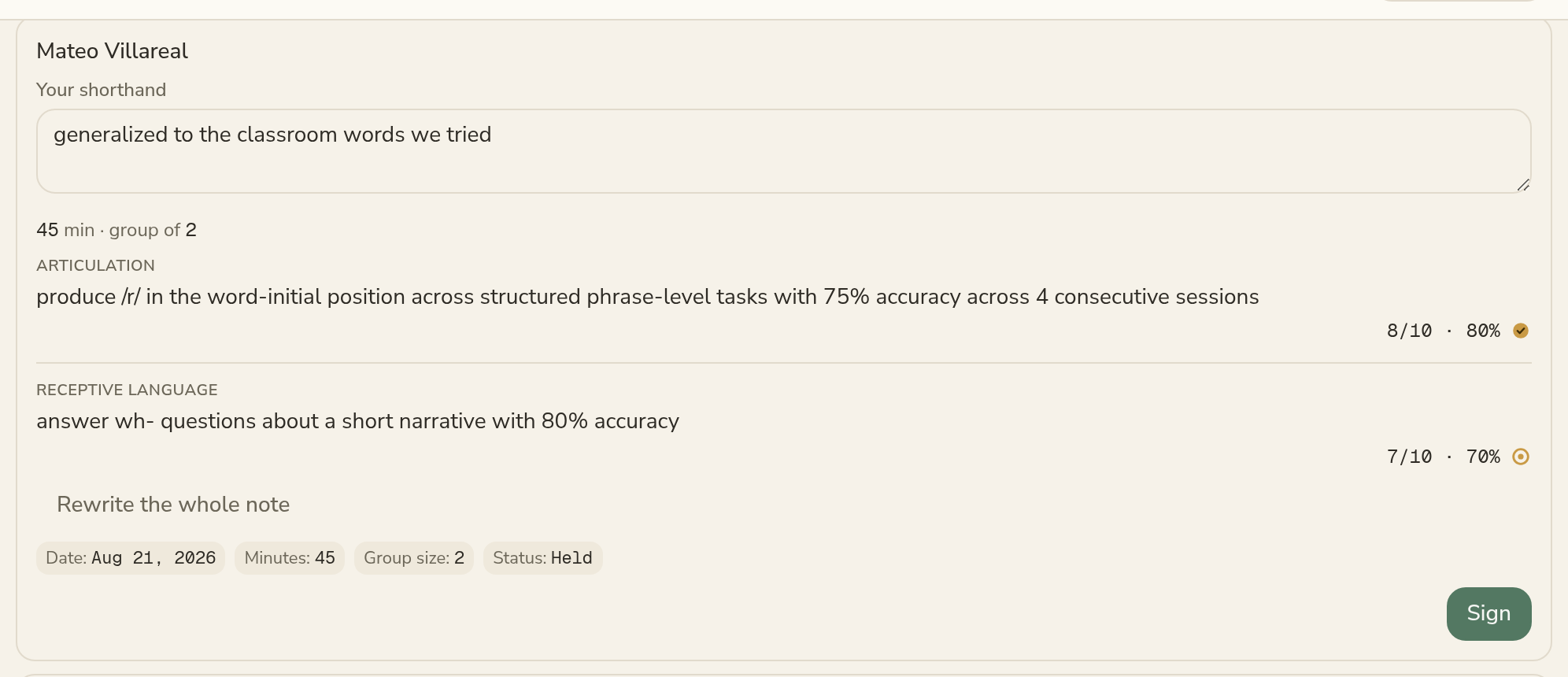
When a session ends, SteadySLP uses the data you recorded and any text you entered to prepare a draft session note.
Review and edit the draft, then sign it when it accurately reflects the session. Nothing is final until you sign.
Unsigned notes stay organized by day, so you can quickly return to anything you didn’t finish.
Progress reports from data you already collected
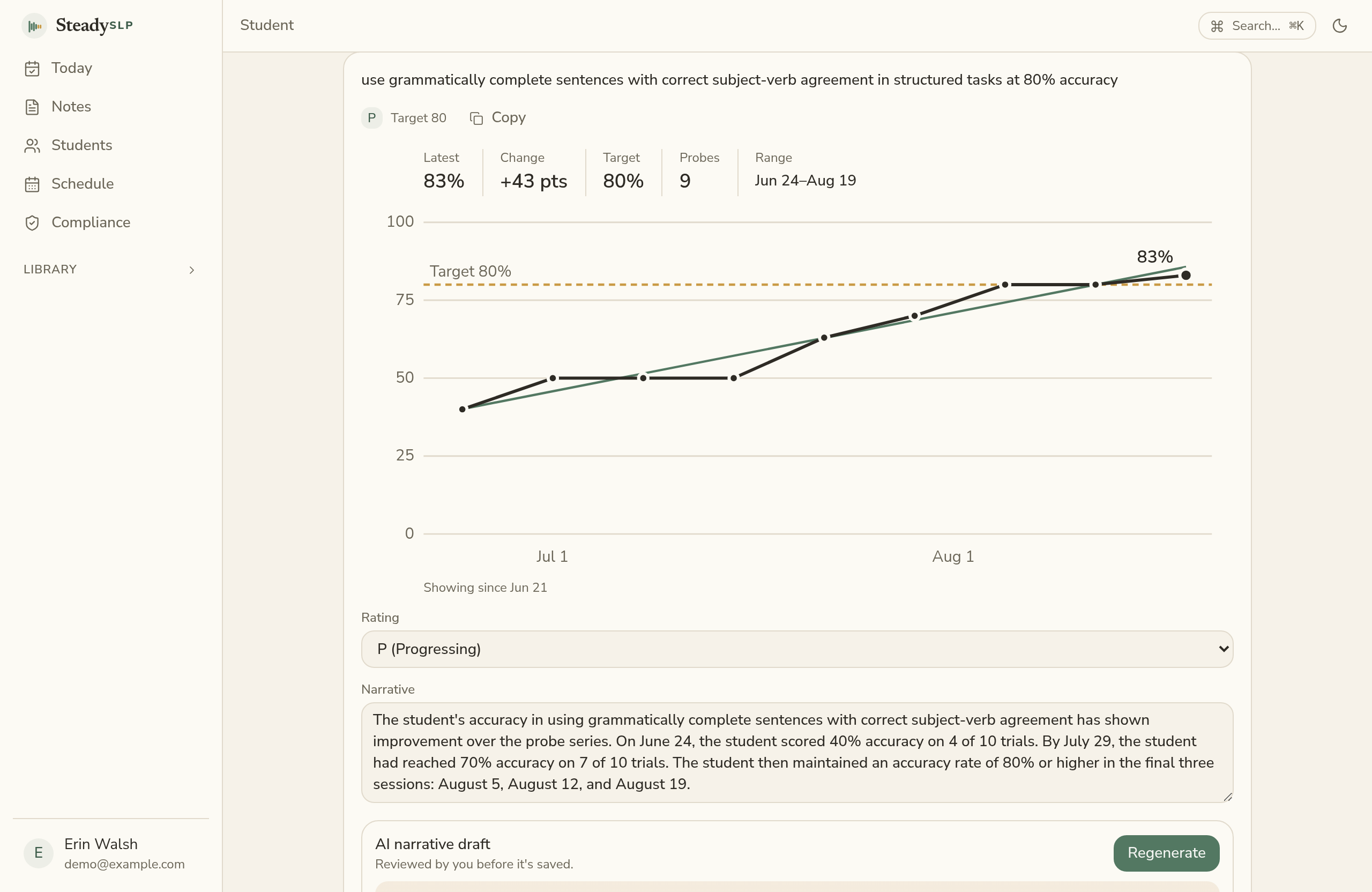
SteadySLP graphs each goal’s data against its target and prepares a draft progress summary from the data you’ve collected throughout the reporting period.
Review and edit the draft before using it.
At report time, the student’s progress is already organized instead of having to rebuild it from scattered notes.
Your district’s IEP system stays the system of record
SteadySLP does not replace EdPlan, Embrace, PowerSchool, Goalview, or your district’s IEP platform. It does not write IEPs, bill Medicaid, or submit state reports. It handles the clinical work that comes before all of that: session data, notes, progress monitoring, and progress reports.
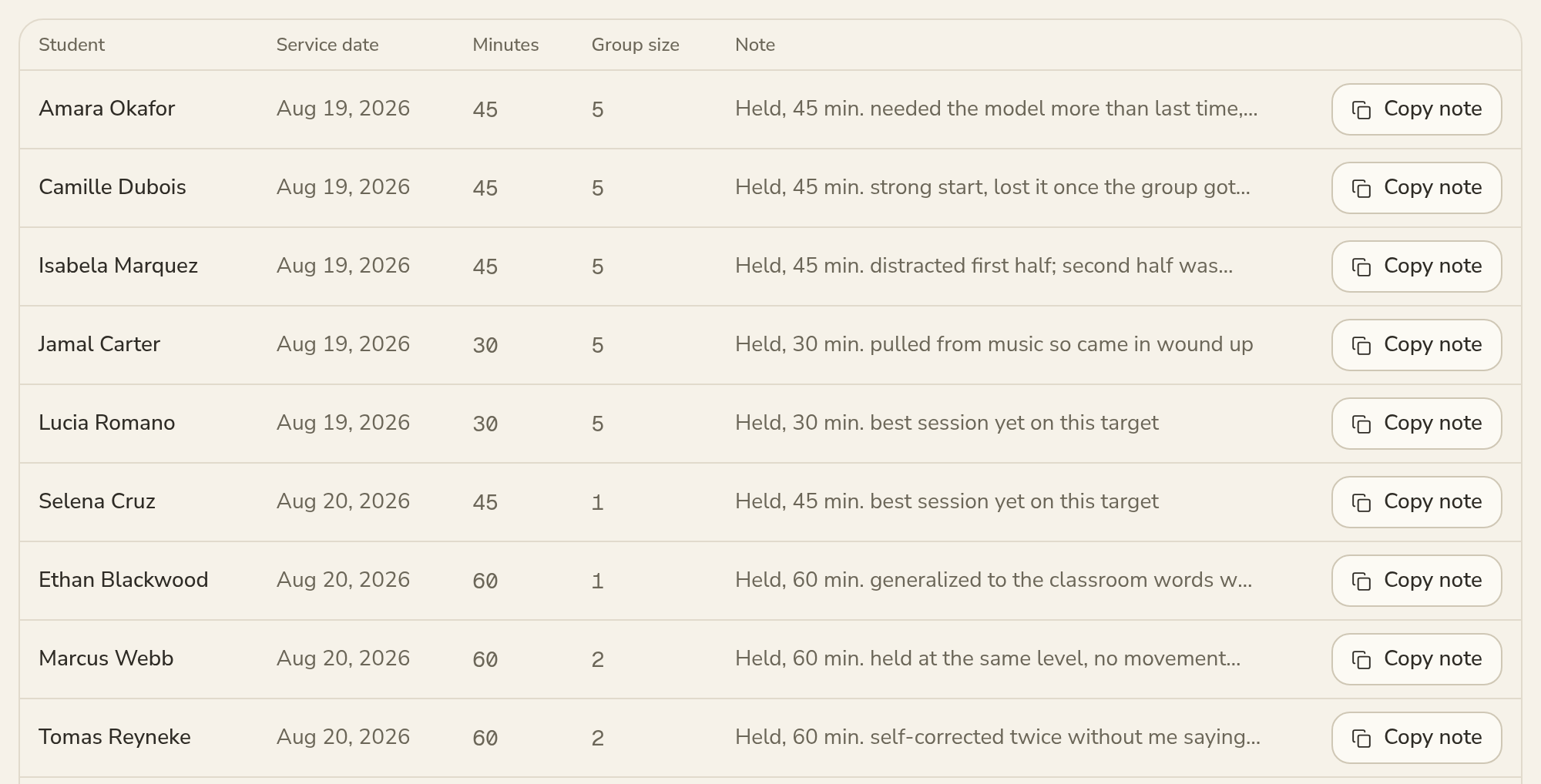
Finished documentation can be formatted for your district’s system, ready to copy over without retyping. SteadySLP tracks what you have already entered, so you can see what still needs attention.
Import your caseload
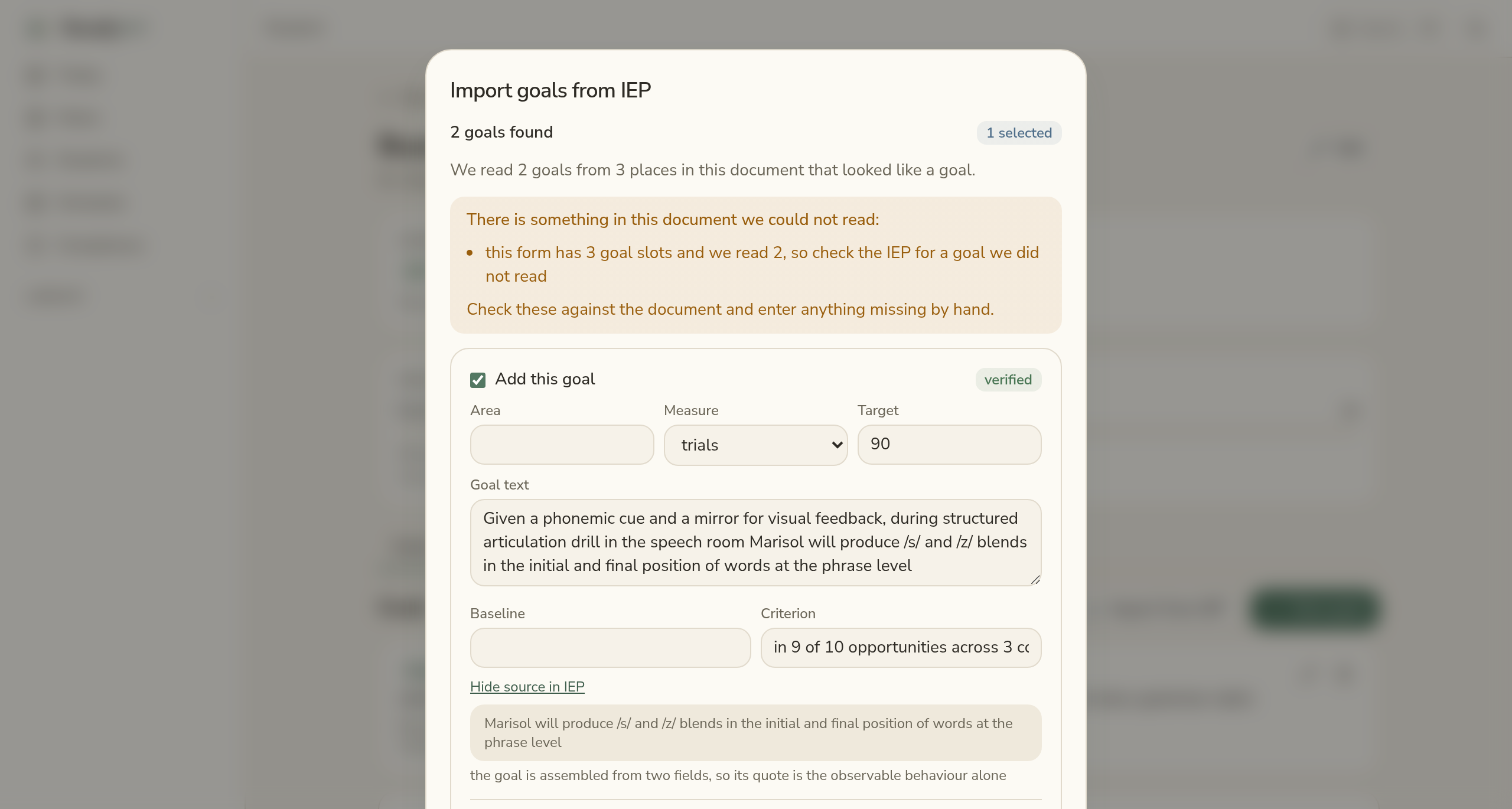
Import students and goals from a spreadsheet, or upload an IEP as a PDF or Word document.
SteadySLP reads the document and extracts goals for your review. Each proposed goal appears alongside the source text it came from, and anything the system couldn’t read is clearly flagged.
Nothing is added to your caseload until you review and approve it.
Early access and pricing
SteadySLP is free during early access, while the app is being tested and refined.
After early access, SteadySLP will be available as a per clinician subscription. The goal is straightforward pricing that feels reasonable for an individual SLP to pay out-of-pocket.
Join the list to receive updates and get access as SteadySLP moves toward broader release.